Power your rules with your own custom data: Introducing Datalists on the Ravelin platform
Discover how Datalists allow you to upload multi-column CSVs, streamline data management, and build highly targeted fraud logic across multiple rules.
23 November 2026
In modern fraud prevention, any risk strategy is only as strong as the data powering it.
Managing complex rule sets across different regions and customer segments often forces fraud teams to duplicate static lists and update conditions manually across dozens of individual rules. Over time, this creates rule bloat, slows down response times, and increases the risk of human error.
At Ravelin, we built Datalists to eliminate that friction. Instead of hardcoding static values across separate rules, fraud teams can upload structured, multi-column datasets and reference them dynamically across their entire rules engine.
Centralized data, endless rule combinations
Datalists serve as a single source of truth for custom operational and risk data. Simply upload a single multi-column CSV, such as email domains paired with specific velocity limits, or delivery locations matched with regional risk thresholds, and reference that dataset across multiple rules simultaneously.
Why fraud teams use Datalists
Eliminate rule clutter: Replace dozens of repetitive, hard coded static lists with clean, centralized datasets.
Reduce maintenance friction: Update master Datalist CSVs or edit individual entries directly in the dashboard to update every associated rule instantly.
Build granular, multi-tiered logic: Evaluate primary keys alongside multiple sub-conditions across different columns within a single rule.
How Datalists work
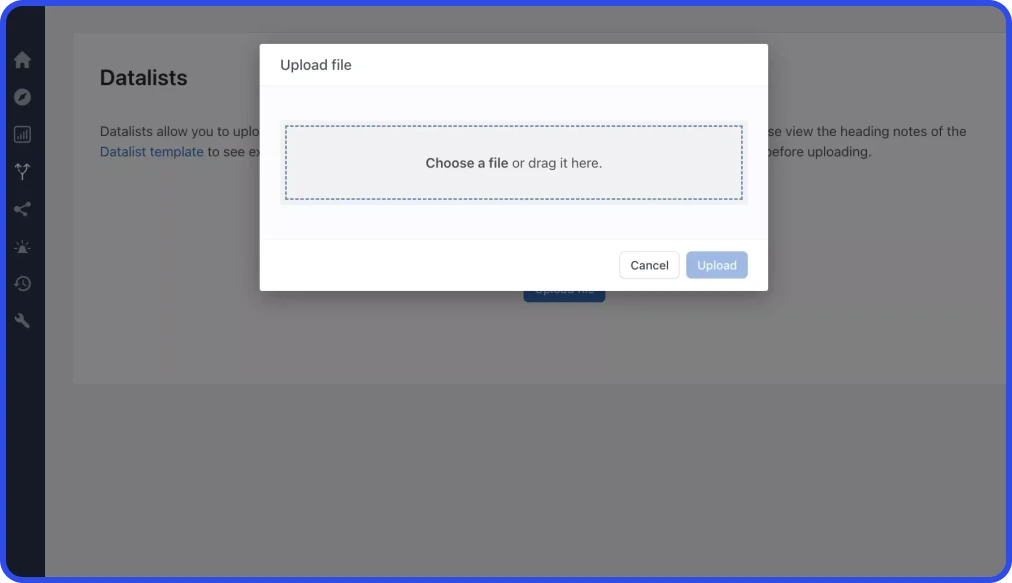
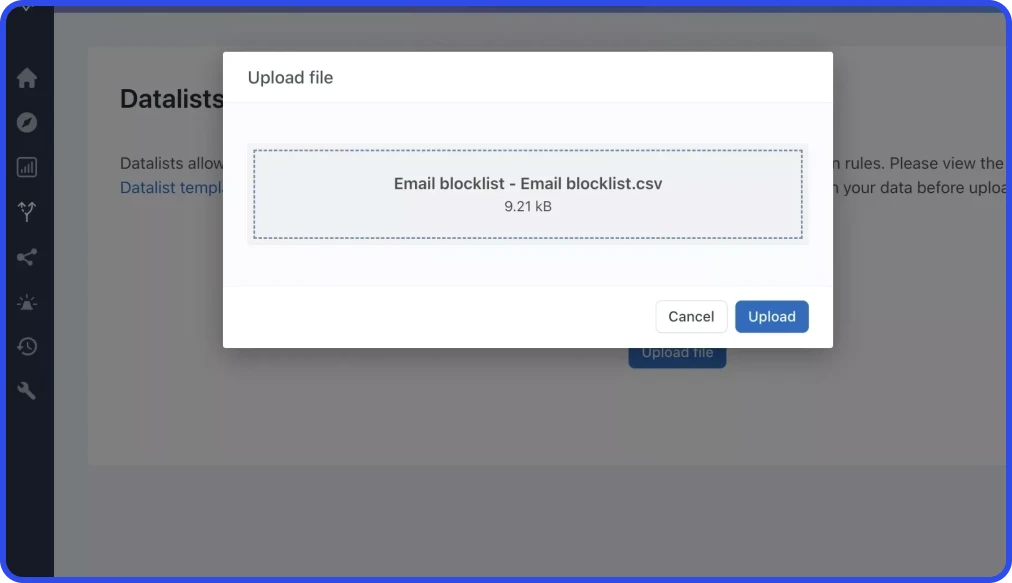
1. Uploading and managing your Datalists
Inside the Datalists section under Rules, teams can easily structure and maintain their reference data:
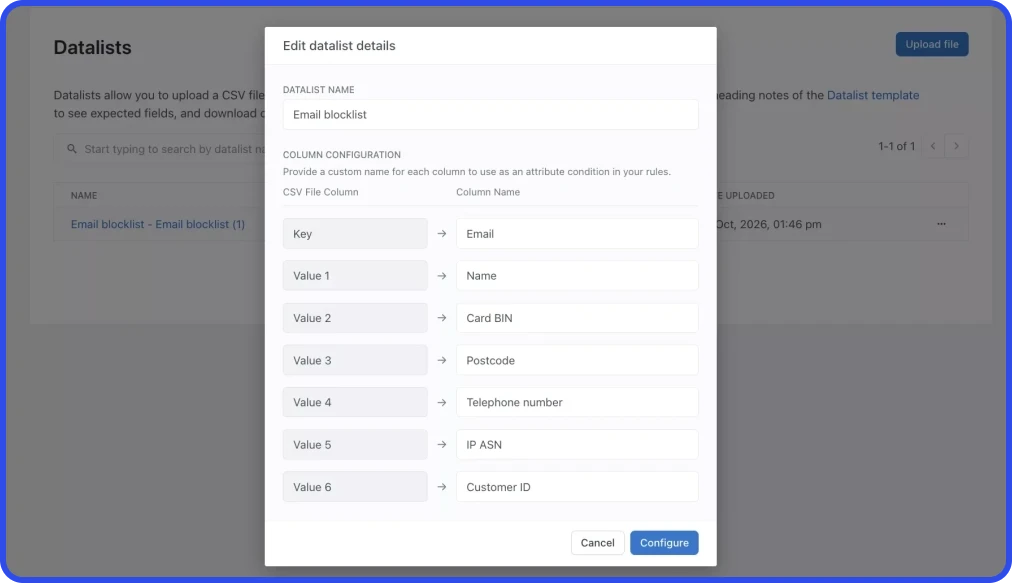
CSV upload: Upload a CSV file featuring a required primary key column and up to seven additional custom value columns.
Custom column mapping: Rename key and value headers directly in the dashboard so they remain clear and intuitive during rule building.
In-dashboard management: Search entries, edit individual rows, or perform bulk updates directly in the UI without needing to re-upload entire files.
2. Building rules with Datalist conditions
Once a Datalist is live, incorporating it into Ravelin’s rules engine takes just a few steps:
In the rule builder flow, select the Add datalist condition option.
Choose your target attribute (e.g., Customer Email) and set the operator to matches key in datalist or does not match key in datalist.
Select your target datalist.
Click Add condition to continue building your rule.
You can add standard rule conditions, or you can click Add column condition to create a condition directly underneath your key reference. This sub-condition allows you to reference other specific columns within that datalist. You can add several of these conditions, or even add conditions that reference entirely different datalists.
Ready to explore Datalists?
Already using Ravelin? Start building with Datalists today. Explore our Help Center guide for step-by-step setup tips, or reach out to your Account Manager for further guidance.
Evaluating fraud solutions?Get in touch with our team for a tailored demo of how Datalists, Ravelin’s flexible rules engine, and AI capabilities work together to scale your fraud prevention.
Payment fraud solutions, done better
Learn more about Ravelin's AI-native fraud prevention solutions, which protect over 167,500 merchants.